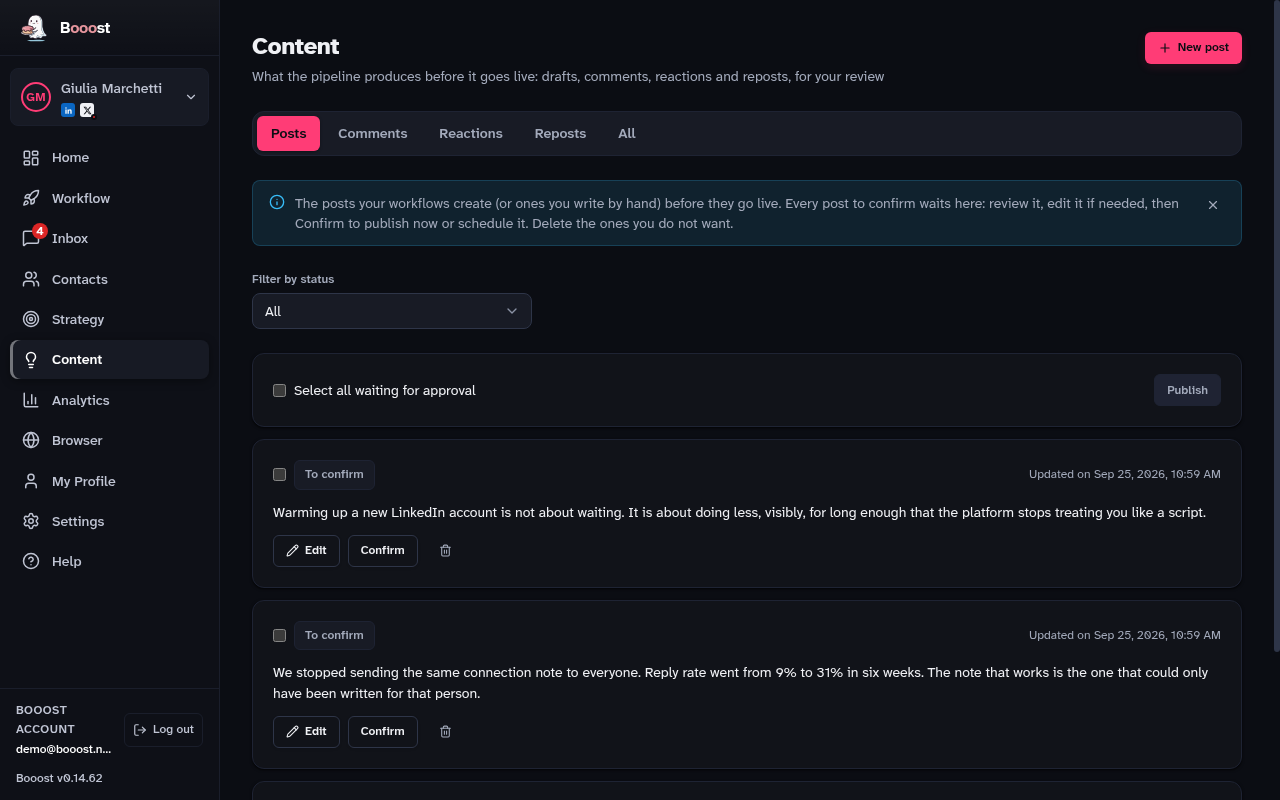
Content
The review queue for everything the pipeline writes. What you see here has not been published yet, on any channel.
What is on this page
- Five tabs: Posts, Comments, Reactions, Reposts, All
- Every item is born "Needs review": you Approve it, Edit it or Delete it
- Post from a link — paste an article URL and get a proposal in your voice
- The log of what has already gone out under your name
- The performance of each published post, on its own row
The life of a post
- A workflow generates the text and drops it here, as Needs review.
- You read it. If it is fine you Approve it; if not you Edit or Delete it.
- On approving, you choose: publish it now or schedule it for a date.
- From there it goes Scheduled → Publishing → Published (or Failed).
- Once published, its row shows reactions, comments and shares.
What asks your permission and what does not
The rule is how much a mistake costs.
- A reaction that fires by accident is undone in a second and puts your name on nothing: it has no gate, it always goes out by itself.
- A plain repost has no choice at all: it is always automatic, because you add no words of your own.
- A comment or a post is a text signed by you. If they go out unread, the only remedy is deleting them after someone has seen them: they are born awaiting approval.
Who signs is visible before you approve
A comment queued by a node set to a Page carries that Page's name next to its state, and approving it publishes it as the Page.
Without that label the choice here would be invisible: it was made hours earlier, on a node, possibly by someone other than the person pressing Approve.
Reactions and reposts have tabs of their own
What is waiting for your yes stays at the top and is actionable; below it is the log of what has already gone out. These are the two things that used to go out under your name with no way to see them, before or after.
How a post did is written on the post
Every published row carries its reactions, comments and shares, measured on LinkedIn in the background within the anti-ban read budget.
Totals, the ranking and which theme performs live in Analytics → Published posts.
Where the raw material comes from
Not from this page, but from the Workflow page, under the Sources and Topics tabs: that is where you say what to draw from (RSS, JSON, Reddit feeds) and on which subject areas. Only the result arrives here.
A workflow set to "Publish immediately" still leaves a row here, already published, next to the posts you approved yourself: it used to bypass this queue and with it the only place that recorded the post.