Campaigns
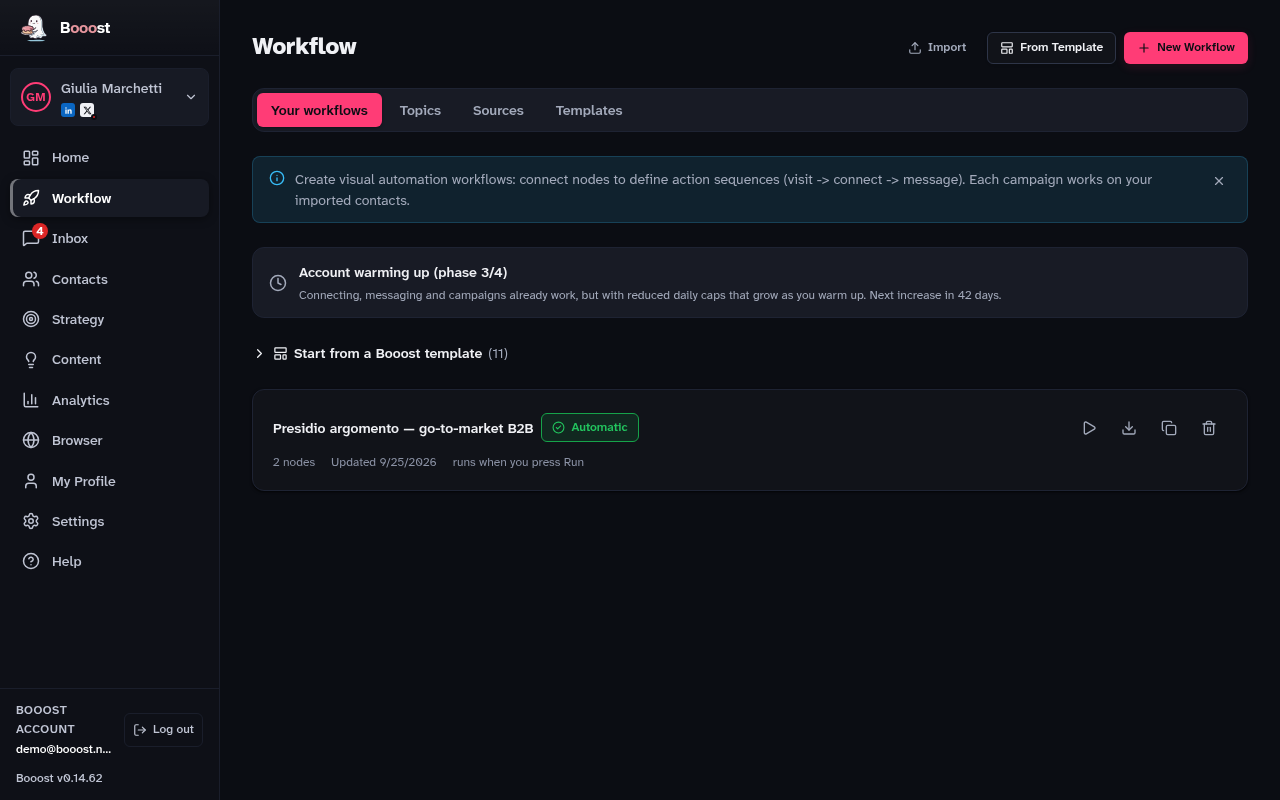
Workflows: sequences of actions you build by dragging nodes onto a canvas, which then run on their own.
What is on this page
- The canvas, where you drag nodes and connect them
- Five node categories: Triggers, Actions, Conditions, Timing, Utility
- The Booost templates, so you start from a finished flow instead of a blank page
- The Topics and Sources tabs, which feed the content flows
- The state of every profile inside the workflow
The channel is a parameter of the node
Most nodes are not "LinkedIn nodes" or "X nodes": they are Publish, Reply, Quote, Repost, Save post, React, Follow, Visit, Account's posts, Post on a topic, New followers — one verb, and a "On which channel?" field where you pick which of your connected channels runs it. Templates that need a channel ask once, up front. Where a verb has a different name on X, the node says so: a connection becomes a Follow.
"Company Page" and "Article (draft)" exist only on LinkedIn — X has neither Pages nor an article editor. Everything else that reads a channel's session — reading an account's posts, a topic, new followers — needs that channel connected first, or the node stops and says so.
Building your first workflow
- Press New Workflow (or From Template, to start from a finished one).
- Drag a Trigger onto the canvas: that is where the flow begins.
- Add the actions and connect them in order, dragging the wire from one node to the next.
- Open each node and fill in its fields.
- Press Save, at the top of the page.
- Press Run to try it, or switch on "Run by itself" to schedule it.
One news item, many sources: an article, then a LinkedIn post and an X post
The question that comes up most often: "several of my sources talk about the same thing — how do I turn that into one piece, and then into posts?". There is a ready-made recipe for exactly this, and it is five nodes in a row.
- Optional: in Workflow → Sources, add the feeds you already trust (the newspapers, the blogs, the newsletters). You can skip it: the next step proposes sources from the catalogue.
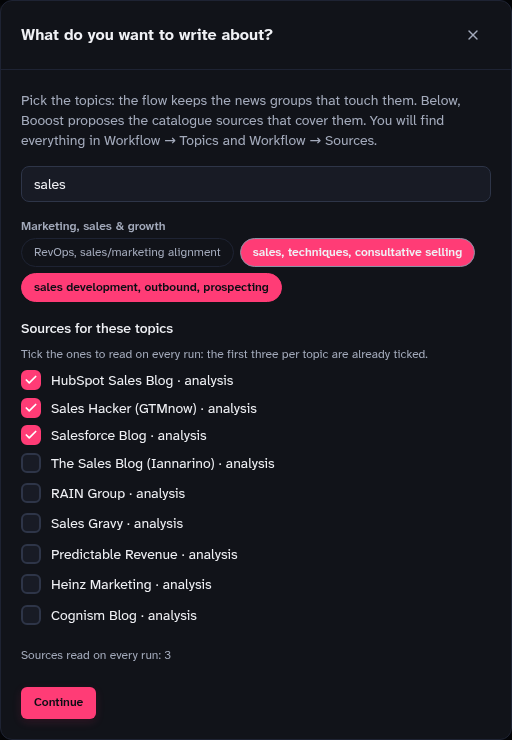
- In Workflow, press From Template and pick "One news item, many sources → LinkedIn and X". If you have an X channel, Booost asks which one: that is where the X post goes. Booost then asks what you want to write about: pick the topics (chips, grouped by area, with a search box) and it proposes the catalogue sources that cover them, the first three per topic already ticked. On Continue the topics become your kept topics (Workflow → Topics), the list that decides which news groups survive, and the ticked sources land in Workflow → Sources with the right beat. Pick no topic and the flow reads every enabled source, as before.
- Look at the five nodes, in order: Your sources (reads the new articles), Group the articles about the same news (the ones that tell the same story end up together), Write the article from all the sources (one article that merges every useful fact, naming who says what), LinkedIn post, from the article and X post, from the article.
- Press Save, then Run — or switch on "Run by itself" for a daily round.
- The article's two posts appear in Content, waiting for your approval: one within LinkedIn's length, one within X's. Nothing goes out before you say so.
The last two nodes do not need a "Prompt AI" node before them: Publish own post now knows its channel and its limit. Its field "Fit the text to this channel (AI)" has three positions — Only if over the limit (the incoming text is rewritten as a native post only when it does not fit: X allows 280 characters on the free plan), Always (the node writes the post itself from whatever arrives: an article, a feed item, a text from a Prompt AI), Never (over the limit, the node stops and says by how much). The field below it, "Instructions for the rewrite", is where you say what the post should do with the content — "one takeaway and the link", "close with a question". The channel, the limit and the language are added by the node.
Scheduling: where it actually switches on
Scheduling lives in the bar above the canvas, inside the workflow. You choose it the way you make an appointment — every hour, day, week or month, on which days, at what time.
There is one Save, at the top of the page, and it saves everything: the canvas, the workflow name and the schedule. Change the nodes and the time in the same pass, and one press keeps both. If you switch on "Run by itself" without picking a time, the save refuses and tells you: an armed flow with no time would never start.
To be scheduled, a workflow does not need the Schedule node. Any flow with a trigger can be scheduled from the bar — for instance a Page watch, whose trigger is "Page post". The node is a way to declare the time; the bar is where the time is actually read from.
When the Schedule node is there, the two always show the same time, and which one commands depends on the switch. While the flow is off, the node commands: the time you write inside reaches the bar on the first save. Once on, the bar commands and the node changes nothing — a flow that publishes every morning does not get its time moved because someone opened a node panel.
Times follow the timezone set in preferences, not UTC: "every day at 8" stays at 8 across daylight saving.
Acting as one of your company Pages (LinkedIn only)
No second login is needed. The publish node holds the list of Pages you actually administer, read from your account, with a button to refresh it if you just added one. Leave the field empty and the post goes out under your name.
The same selector sits on the Reaction node, the Repost node and the "Comment on a post" node: a Page can watch another one without you signing anything.
One of your Pages can follow others. It is an admin capability, and it is the only action here with no "as yourself" version: following is not something Booost does on your behalf. So "Follow as" is required, not optional — leave it empty and the node stops and says so, instead of quietly doing nothing. The Page you want to follow belongs to someone else, so it cannot come from a menu: you paste its address, its short name or its URN, or let it arrive from the previous node.
Commenting as a Page is only possible with "Which post" set to the post from the previous node, and that is a choice, not an oversight: the other setting — "a recent post of the contact's profile" — picks the Nth post of a person by position, and commenting as a Page needs to know WHICH post. The "Comment on a post" node is also where a Page watch lands: read its posts, then comment on them. (Until September 2026 these were two separate nodes, "Comment on a post" and "Comment on a contact's post"; the same goes for "React to a post", and "Wait" now carries the random range that "Wait Random" used to be.) The chosen Page travels with the comment all the way to publication, so one queued today and approved tomorrow still goes out signed by the Page.
Articles stop at the draft (LinkedIn only)
"Write an article (draft)" sends LinkedIn a title and a long body and leaves it among your drafts — it publishes nothing. You open it in LinkedIn's editor, read it back and press Publish yourself. The node passes the draft's address downstream, so it does not end up somewhere you cannot find. It can sign as one of your Pages. Blank lines become paragraphs.
How long should a post be
The AI Prompt node can ask for it: "Length → Recommended" aims at 2,000–2,500 characters, and the same number sits under the text box of the publishing node.
That is where median engagement peaks across 372,126 posts measured between September 2025 and February 2026 — and the useful part of that measurement is not the peak, it is the shape of the curve: it rises from 400 characters up and only flattens after 2,500. The advice you read everywhere ("1,300–1,900") is not wrong, it is timid. Below 1,300, though, you really do lose something.
By default length stays on "Let the model decide", so workflows you already built do not change by themselves. For comments and messages the field does nothing, on purpose: there is no public measurement to base a band on, and inventing a plausible one would produce two-thousand-character comments with your name under them.
Repost: one node, two very different actions
Repost exists on both LinkedIn and X (pick the channel on the node).
- Without a comment it is amplification: it goes out by itself, because you add no words of your own, and it weighs on the repost cap.
- With a comment it is a post of yours with the other one attached. LinkedIn counts it that way and so do we, against the daily post cap — so it is a signed text and it is born as "ask me first". On X a repost has no comment field: to add words of your own, use Quote instead.
What a comment should say
It is a choice on the node, not a hidden setting.
- Something of mine sends the text as it is.
- On the claims made takes the claims of the post you are commenting on, checks them on the web and writes starting from one that held up, citing it.
If nothing holds up, nothing clever gets written: your ordinary text goes into the approval queue, so a comment on shaky ground always passes through you.