Settings
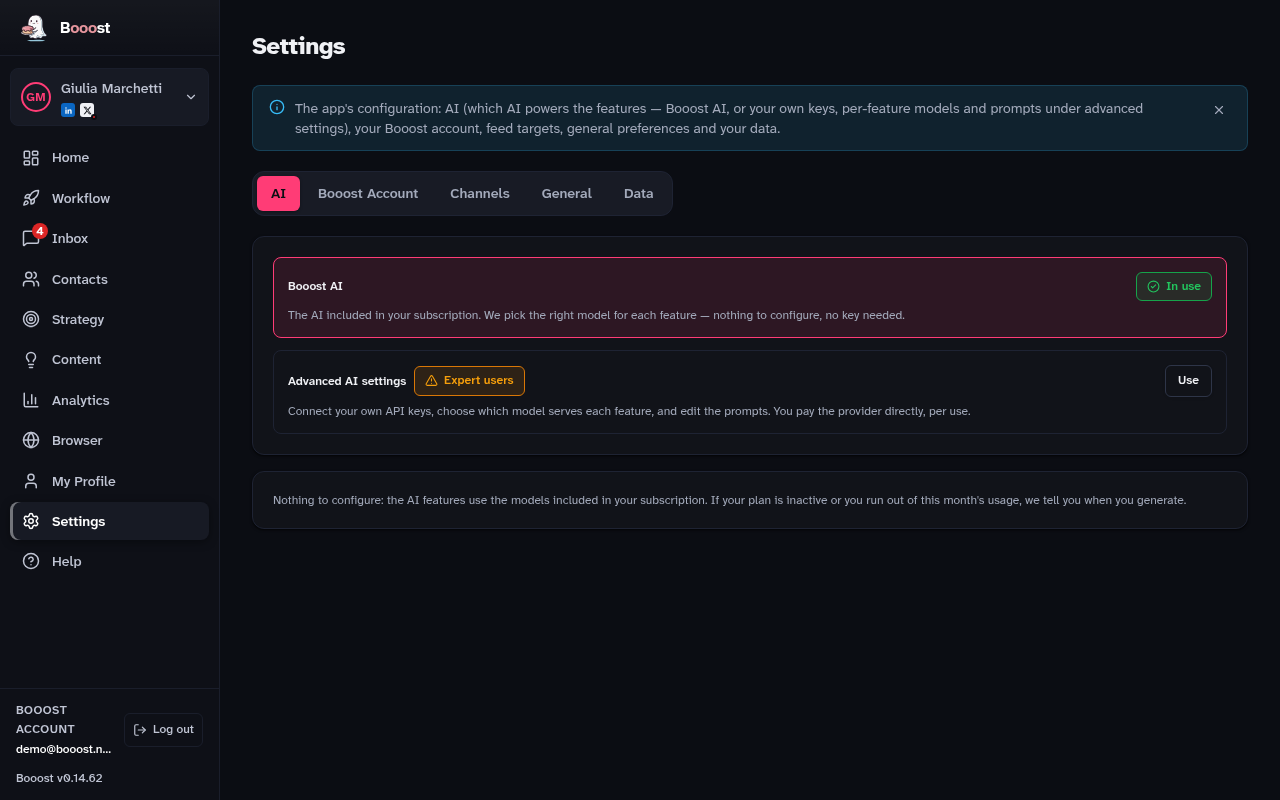
Everything you configure once and then forget. There are five tabs, and it is worth knowing what is in each.
The tabs
- AI — either use Booost AI, which works with nothing to configure, or bring your own keys: 19 cloud providers plus Ollama locally
- Booost Account — subscription, licence, contract documents
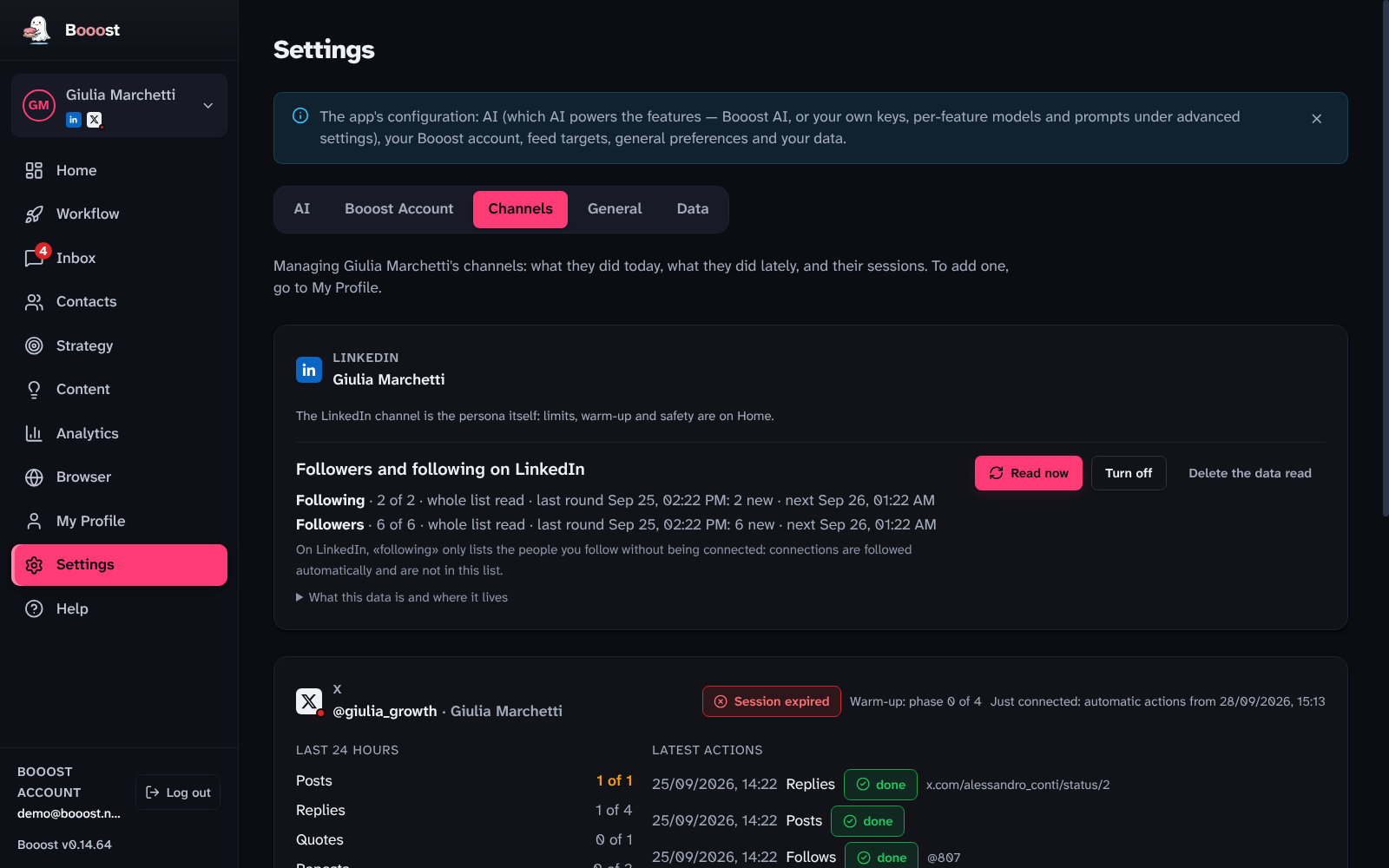
- Channels — one card per channel: for X today's budget per verb, the latest actions with their outcome, the session and "Disconnect"; for LinkedIn a short card that points back to Home, where its safety lives. Every card also carries the switches for reading that channel's followers and following lists (off by default): what they read shows up in Contacts
- General — theme, language, timezone, operating hours, anti-ban switch
- Data — export contacts as CSV or JSON, manage sessions, or reset the app
Role, industry, tone of voice and the personas you want to reach moved out of Settings: they live on the My Profile page now, next to "Your channels", not behind a tab here.
The Channels tab is management, not adding
A channel is connected from My Profile → "Your channels". This tab is where you watch it work: how much of today's budget for each verb — posts, likes, follows, visits — it has used, its most recent actions with their outcome (done, failed, already done) and target, and the session controls (open it in Browser, log back in, disconnect). LinkedIn gets a short card here too, pointing back to Home, because its limits and warm-up already live there.
The two that catch people out
The operating timezone decides two things at once, and the second one surprises people: both the hours in which Booost works, and the hour a scheduled workflow starts. A workflow set to "every day at 8" starts at 8 in that timezone, not the computer's.
Operating hours are the window inside which Booost touches LinkedIn. Outside it, it does not work — and that includes reads, so it includes target imports. If a feature tells you "outside operating hours", this is where the window is widened.
Booost lives in the system tray
Closing the window does not close Booost: the app stays in the system tray and automations keep running. From that icon you pause all automations and resume them, without opening the window.
It is also the first place to check when "nothing is running": if you paused it from there, nothing else in the app can tell you.